People Search: Find Who Has Done the Work
People search in Foundation reads each person's résumé and public profiles, keeps every fact with its source, and searches applicants, your team and event guests at once.
Say a project needs someone who has run a company's books in QuickBooks. The applicants are in the applicant tracking system. Staff and contractors are in HR software. The people you met at events are in a spreadsheet. That is three searches, and none of them reads a résumé.
We added People search to Runpoint Foundation, the company operating system we give our clients with no license or seat fees. It keeps all of those people in one list and searches them by what they have done. You can watch it in action here.
What it reads
For each person, Foundation reads what they already gave you or published: the résumé, the application, LinkedIn, GitHub, a portfolio. From those it keeps a work history and three kinds of tags, which are skills, industries and business domains. Industries and domains are kept apart on purpose. A job at a bank is banking experience, and it is lending experience only if the person did lending.
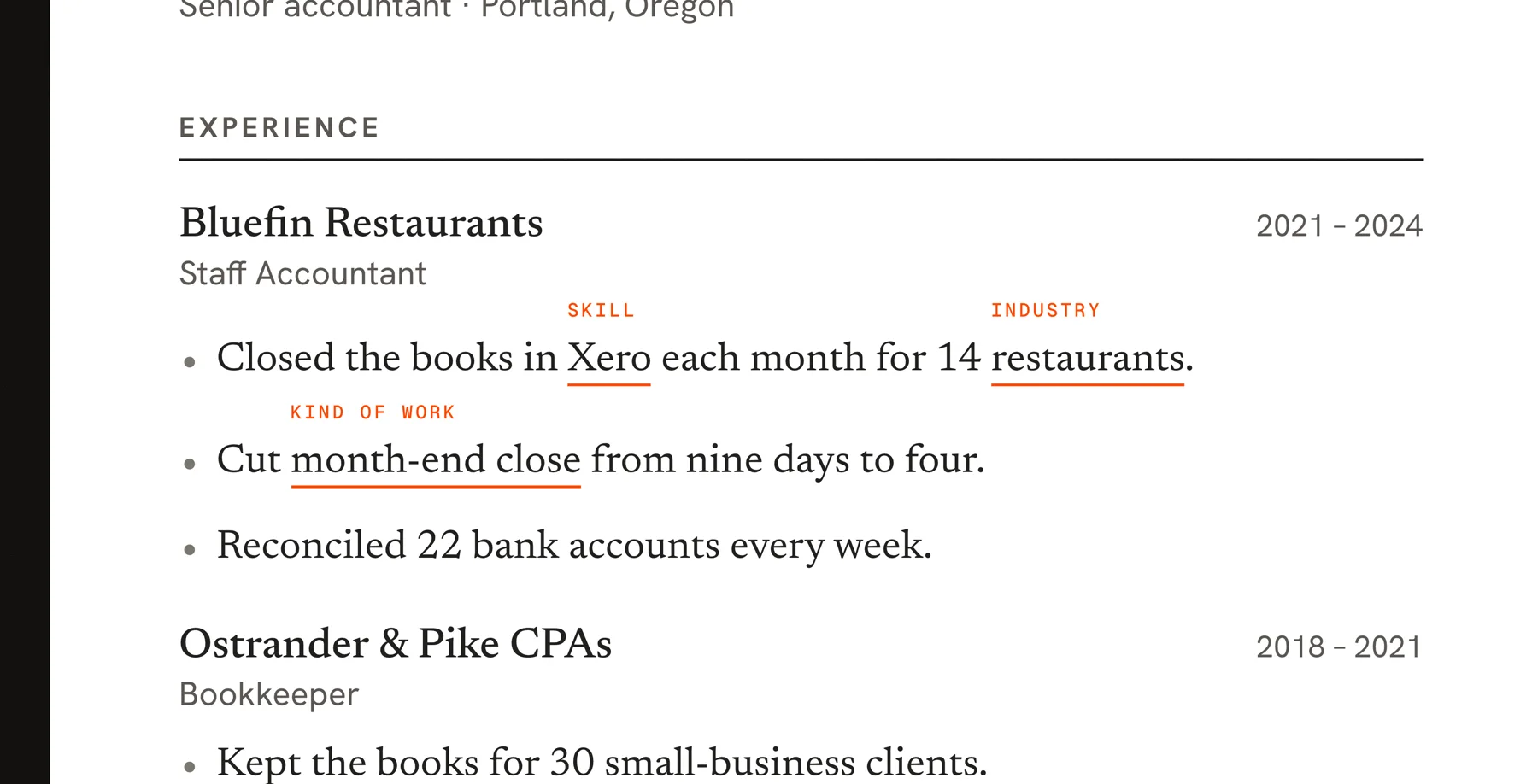
Every fact keeps its source and a quote. The model has to quote the document for each job and tag, and ordinary code then checks that the quote is really in the document. A fact that fails the check is dropped. Missing evidence is recorded as unknown, so a thin résumé doesn't count against anyone. Interview scores and private notes are never read, and a fact shows only to people who are allowed to see the document it came from.
Searching
One search covers every group and returns people grouped by where they came from. Exact matches come first, with the word you typed in bold inside a line of the person's own evidence.
Under the search box is a button, Widen with AI. For QuickBooks it works out that you are after accounting platforms and adds related terms: Xero, NetSuite, Sage Intacct, month-end close. People who match those come back in a second list, each with the term that matched and the line it came from. The AI only widens the query. It never decides who matches, so every result still points to a real quote. A widened search costs about a tenth of a cent.
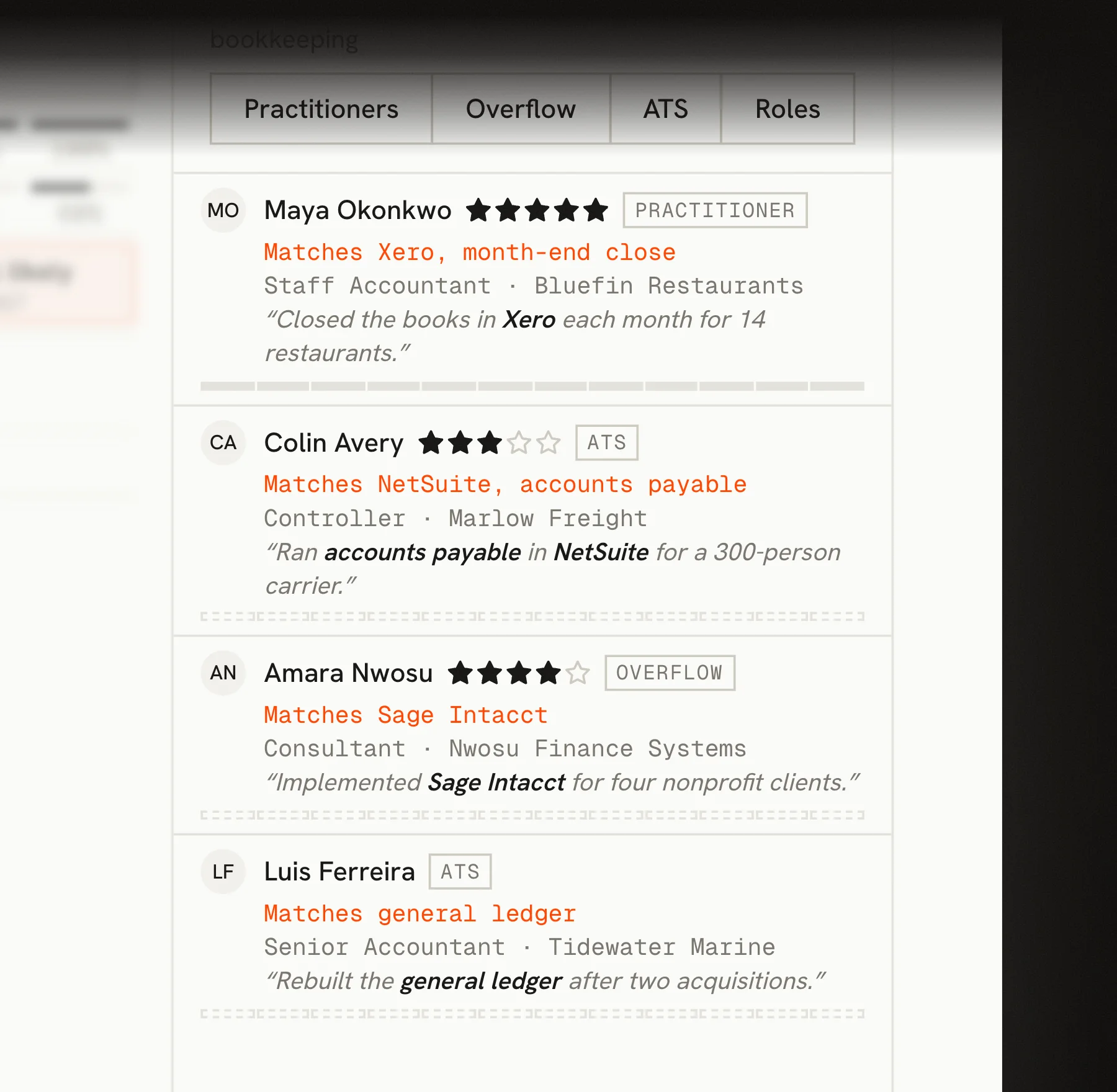
Open anyone from the results and the search comes along. Their matching jobs are marked and listed first.
One check before an interview
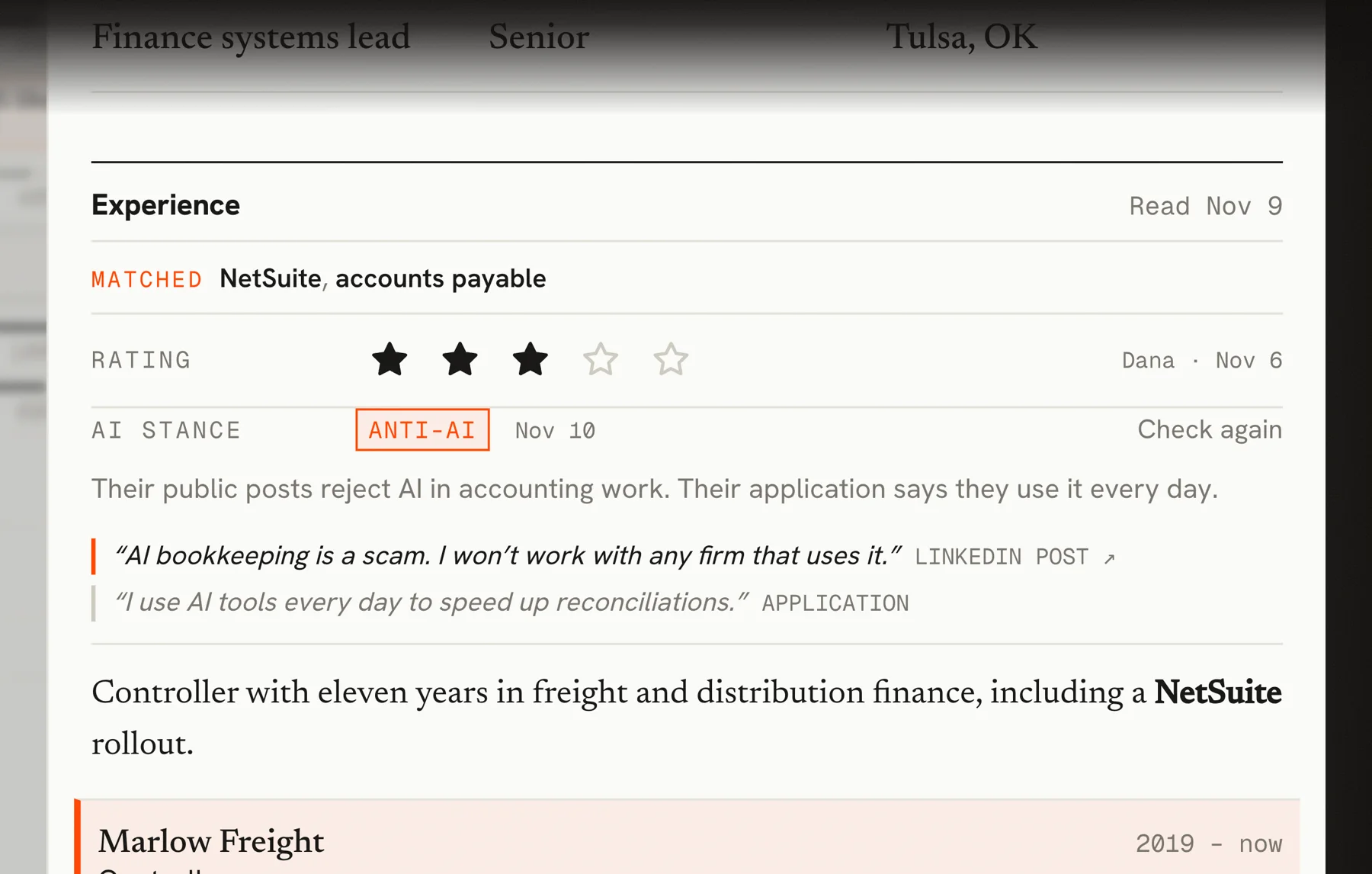
Runpoint hires people to build with AI tools, so we added a check that other companies may not need. A button on each person reads their public posts, compares them with what they told you, and rates their view of AI from AI-native to anti-AI. The case it exists for is an application that says one thing and a public post that says the opposite. It shows the quotes and the links, it needs at least one verified quote before it says anything, and it costs about three cents a person.
Staffing
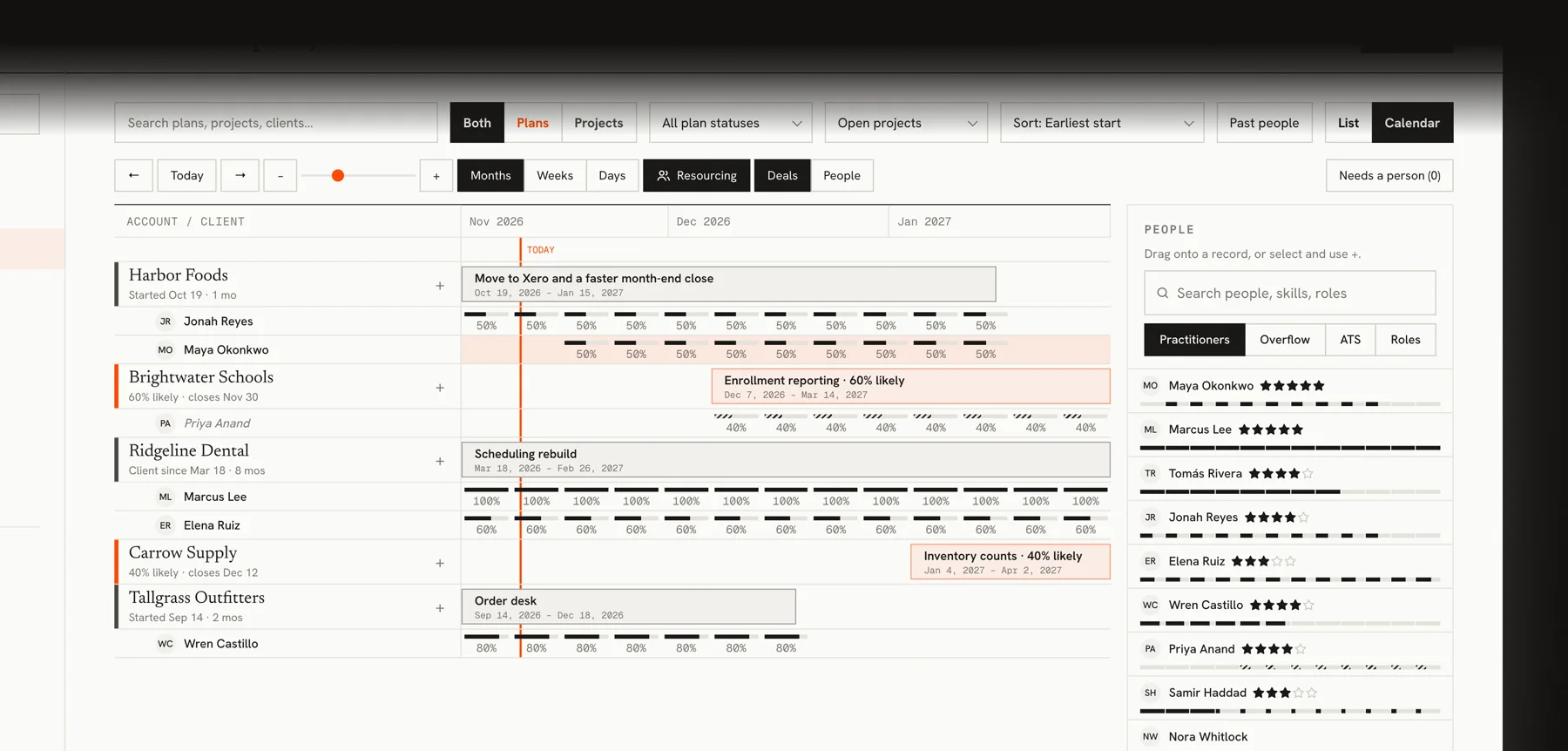
The same search sits beside the project calendar. Each person shows a star rating that your team shares and their next twelve weeks of availability, and you drag them onto a project. Applicants and event guests can be added to a plan only as tentative.
What it doesn't do yet
It doesn't choose people for you. You search and you decide. Suggesting people for a project is not built.
The search, the stars and the profile panel are in the web app. The Mac app doesn't have them yet.
New and changed people are read automatically, a few at a time, so a large import takes a while to fill in. It shipped this week, so I don't know yet how well the widened search holds up across different kinds of work.